
Image via Adobe
Adobe Express is the company’s one-stop editor that enables the creation of images, videos, logos, PDFs, flyers, and more, harnessing artificial intelligence to pretty much do all the grunt work for users of all skill levels. All told, it’s optimized for designing social media posts, and now on the back of a new and improved Firefly, it’s making the process more instantaneous to keep you on top of ever-evolving web trends.
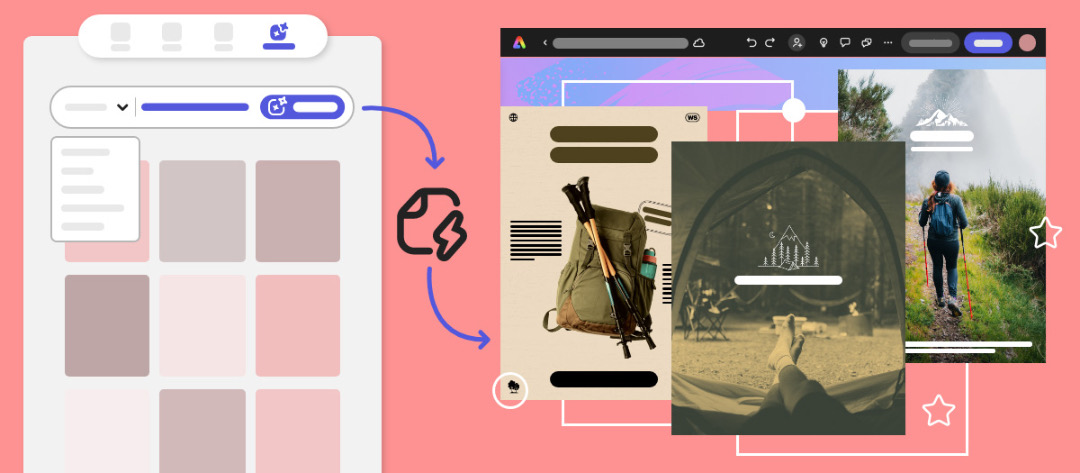
Most outstanding of all is the Text to Template feature, which lets users automatically generate stunning templates from a simple text prompt, opening the door to creating social posts, flyers, posters, and more within minutes.
Assets generated by Text to Template are fully editable within Adobe Express, allowing for customization in various aspect ratios suitable for print, social media, and the web. Self-aware placement and sizing of text ensure that core messages are effectively conveyed to the audience. Additionally, text colors are intelligently selected to enhance readability.
Text to Template is trained on Firefly’s more ethical, commercial-ready model, learning from openly-licensed, public-domain, and Adobe Stock templates to yield quality layouts that are safe to use.
To get started, head over to the Adobe Express homepage and select ‘Generative AI’. Keep scrolling until you see ‘Text to Template’, where you can fill in your prompt and the type of design you need; say, an event brochure. Then, click on ‘Generate’.

Image courtesy of Adobe
You’ll be shown some template variations based on your description. Choose your favorite one, and then personalize it by adding text effects, changing fonts, backgrounds, and more.

Image courtesy of Adobe
Of equal importance, the creative tech giant has now integrated Generative Fill—the popular Photoshop tool that allows the insertion, removal, or replacement of objects or people—into Adobe Express, making the AI-powered feature more readily available to all.
To save users the time and effort of reaching out to global audiences, Adobe Express is now offering a ‘Translate’ functionality, with support for 45 languages to make localization across demographics a breeze.
In addition, new Drawing and Painting capabilities in Adobe Express introduce over 50 multicolor paint and decorative brushes, mimicking textures like charcoal, pencil, and watercolor, and even creating effects like flowers and hearts, with ease.
Finally, users can schedule and share their new dynamic videos directly on various social platforms, including TikTok, Instagram, Facebook, LinkedIn, Pinterest, and X (formerly Twitter), without leaving their workflows, streamlining distribution across their channels.
[via Adobe and Business Wire, cover image via Adobe]

by rrollins

Recent Comments